Triggered By Is N/A or Administration Is Missing
This troubleshooting page covers three questions about the identity of users in the KubeRocketCI portal: why a PipelineRun has no initiator, why the Administration section is not in the sidebar, and why the My Activity card is empty.
Problem
The portal shows one of the following:
-
The header of a PipelineRun shows
Triggered By: N/A. The tooltip of the value saysNo creator recorded for this run. Ensure krci-audit is enabled and configured properly.: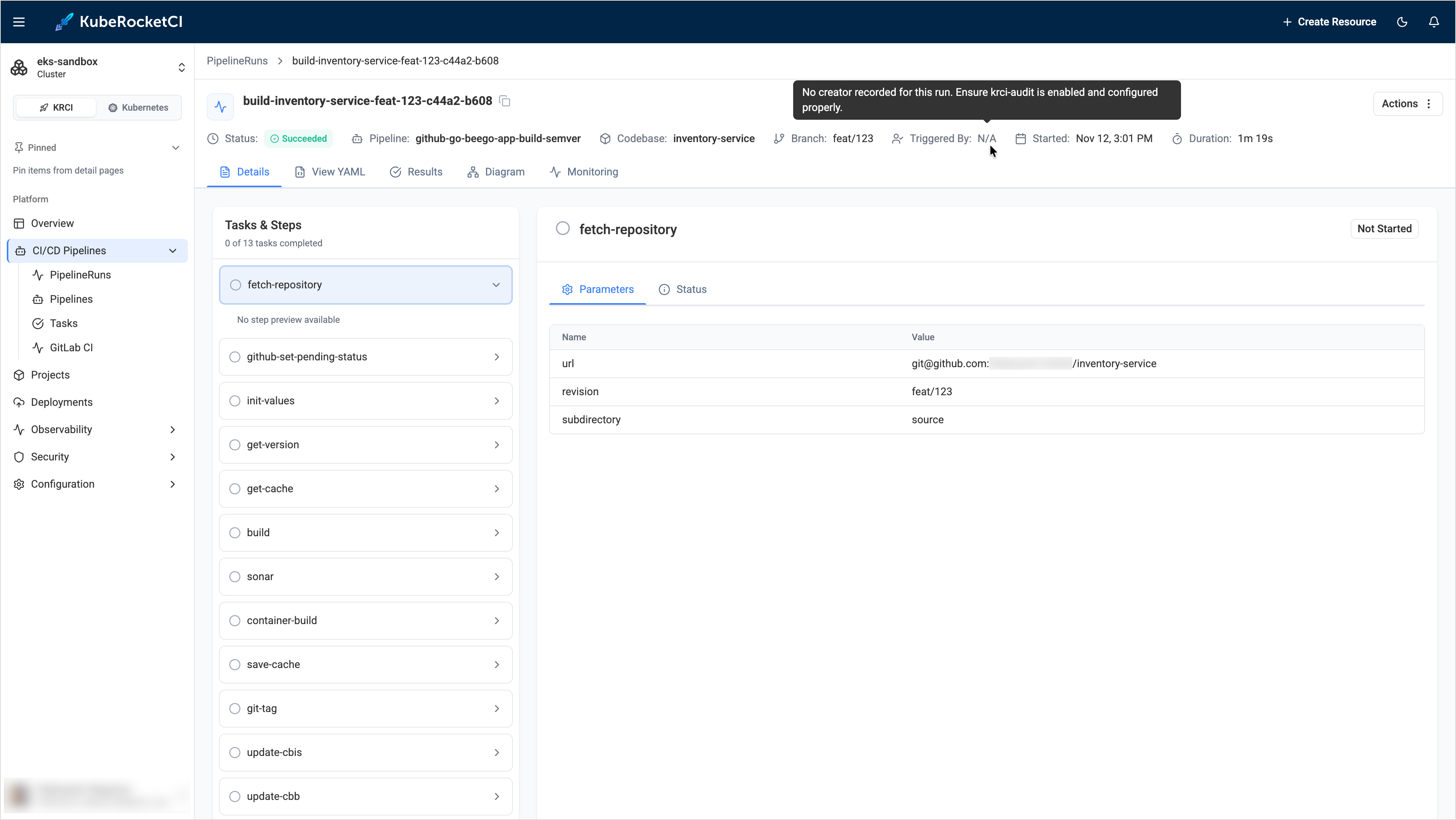
-
The sidebar has no Administration section, so the Audit Events page is not available:
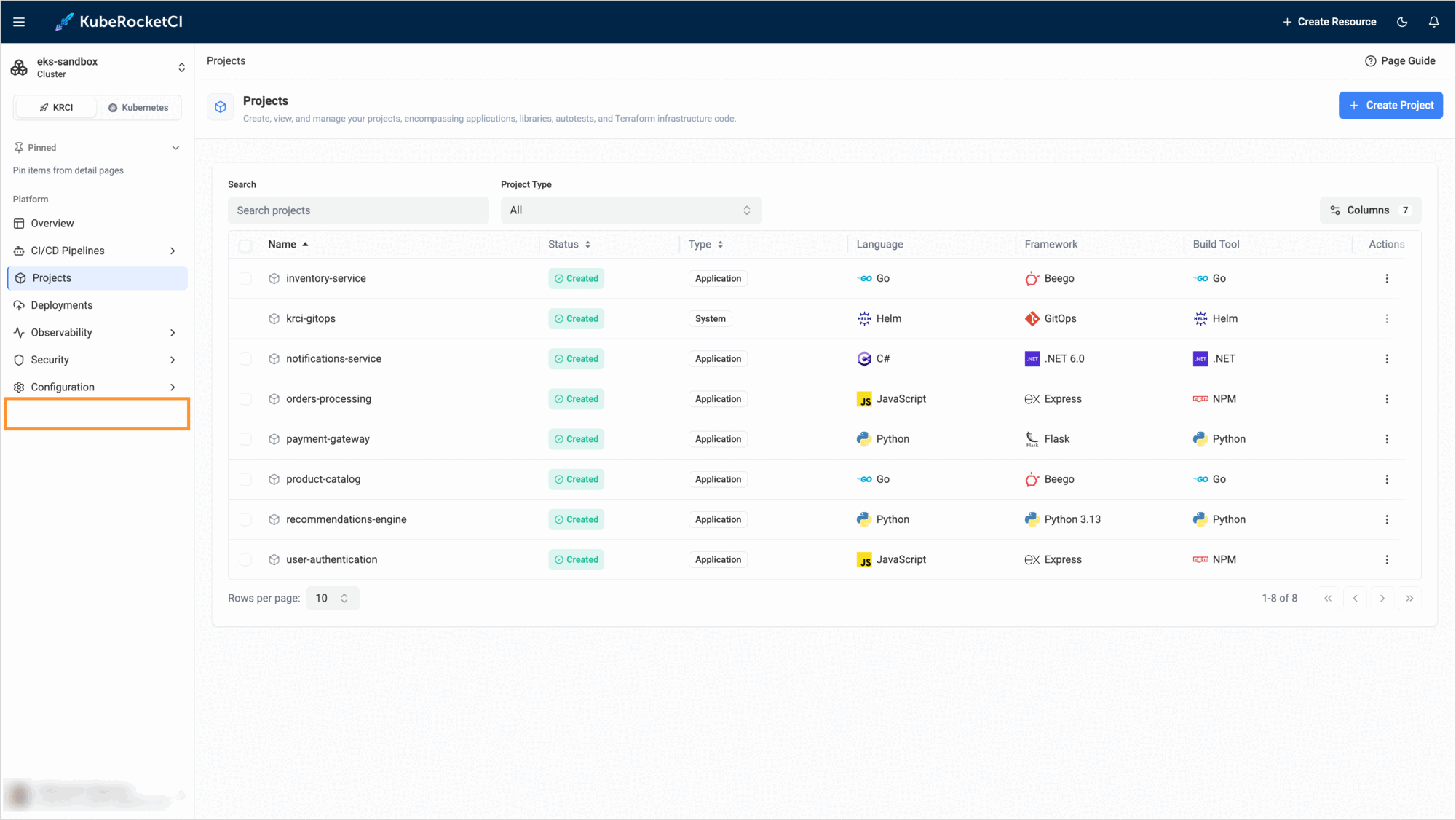
-
The My Activity card on the Overview page shows
No pipeline runs found for your account.
Cause
Each of the three items has its own cause:
| Item | Cause |
|---|---|
Triggered By: N/A | The portal reads the creator of a run from the krci-audit add-on. The value is N/A when the add-on is not installed, the KRCI_AUDIT_URL parameter is empty or wrong, the add-on is not reachable, or it has no creation record for the run. |
| No Administration section | The portal shows the section only to users with the administrator role. The role comes from the OIDC groups of the user: the user must belong to the administrator group in Keycloak, or to a group listed in the PORTAL_ADMIN_GROUPS parameter. A session that uses a Service Account token never gets the role. |
| Empty My Activity | The card does not use Triggered By. It compares the Git author of the runs with your name, your email, or the part of your email before @. It lists only the five latest runs that exist in the cluster now, so older archived runs are not included. |
Solution
Triggered By Is N/A
-
Check the address of the add-on and that its Pods are running:
kubectl -n <krci-namespace> get configmap portal-config -o yaml | grep KRCI_AUDIT_URLkubectl get pods -A | grep krci-auditThe default address is
http://krci-audit-api.krci-audit:8080. If the add-on is installed in another namespace, set its address:values.yamlkrci-portal:configEnv:KRCI_AUDIT_URL: http://krci-audit-api.krci-audit:8080 -
If the add-on is not installed, install it as described in Audit Trails Setup. The add-on records only the runs created after its installation, so the older runs keep the
N/Avalue.
Administration Is Missing
-
Sign in with OIDC. The Service Account token login never shows the section.
-
Check which groups the portal received. In the browser, open the developer tools, switch to the Network tab, reload the portal page, and open the response of the
auth.merequest. Thegroupsfield lists the groups from the token, and therolesfield lists the portal roles. The section is shown only whenrolescontainsadministrator. Do not share this response, because it also contains your name and email. The membership in a group that gives access to the cluster, for example, acluster-adminsgroup, does not give the portal role. Only theadministratorgroup or the groups from thePORTAL_ADMIN_GROUPSparameter do: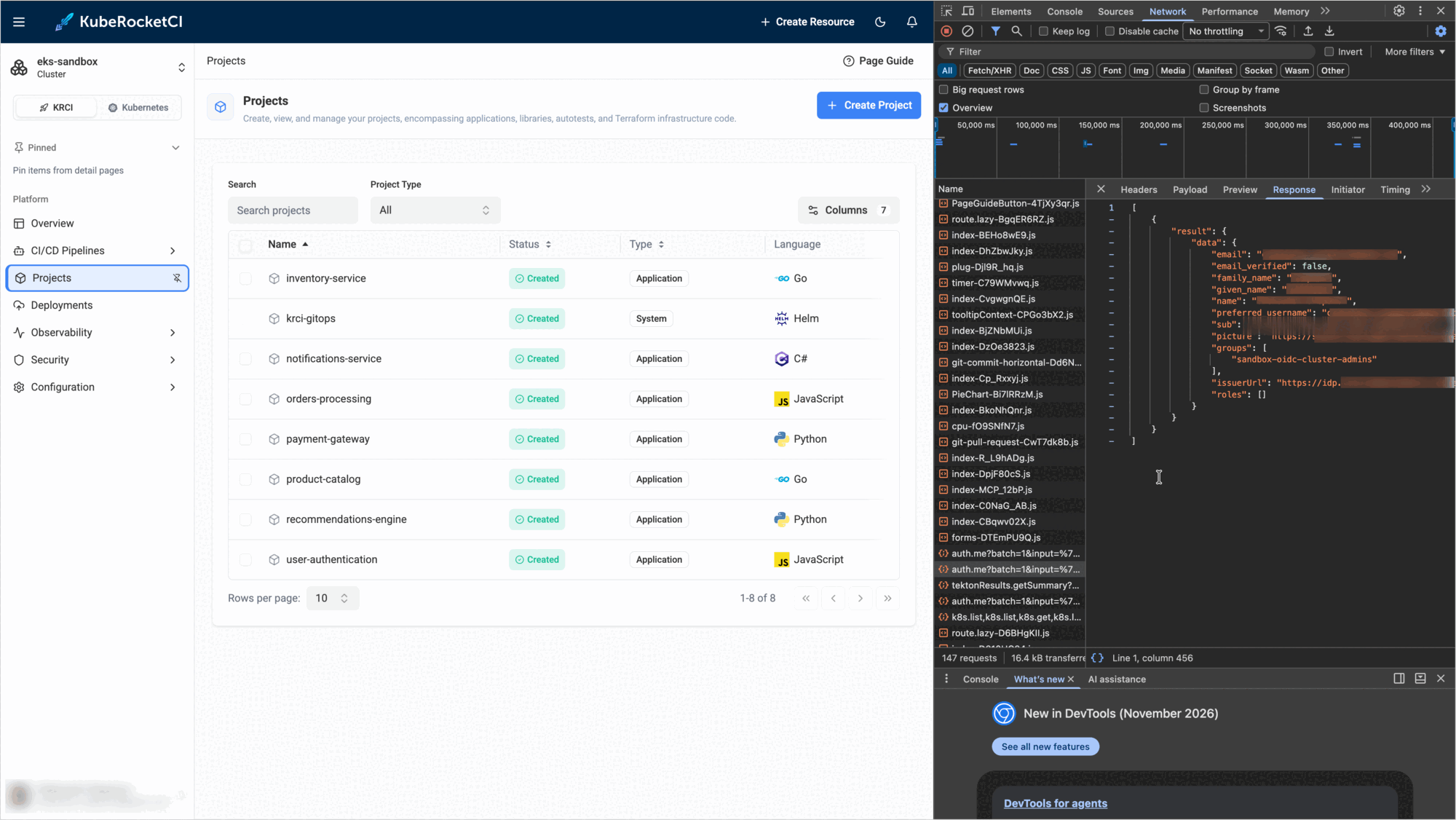
-
In Keycloak, add the user to the
administratorgroup. If your administrators use another group, set its name in the Helm values. To list several groups, separate them with commas:values.yamlkrci-portal:configEnv:PORTAL_ADMIN_GROUPS: administrator,platform-adminsThe portal Pod restarts by itself when the ConfigMap changes.
-
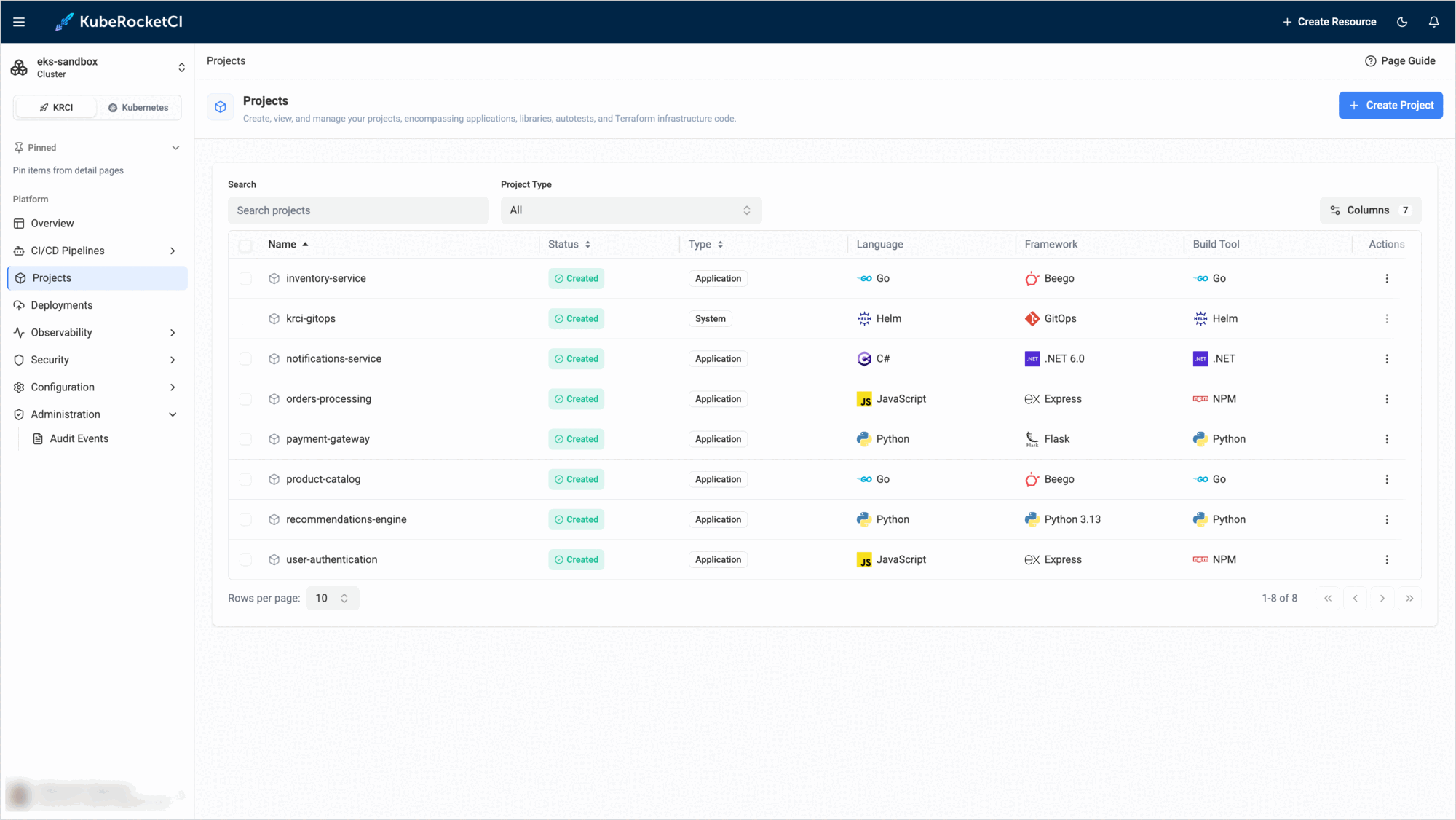
Sign out and sign in again, so that the portal reads the groups of the user again. After that, the Administration section with the Audit Events page appears in the sidebar:
My Activity Is Empty
- Check the name and the email in the Git commits of your runs. They must match your name or email in the portal. The match ignores the letter case.
- Remember that the card shows only the runs that still exist in the cluster. To see the older runs, open the PipelineRuns page.