Environment Creation Issues
Problem
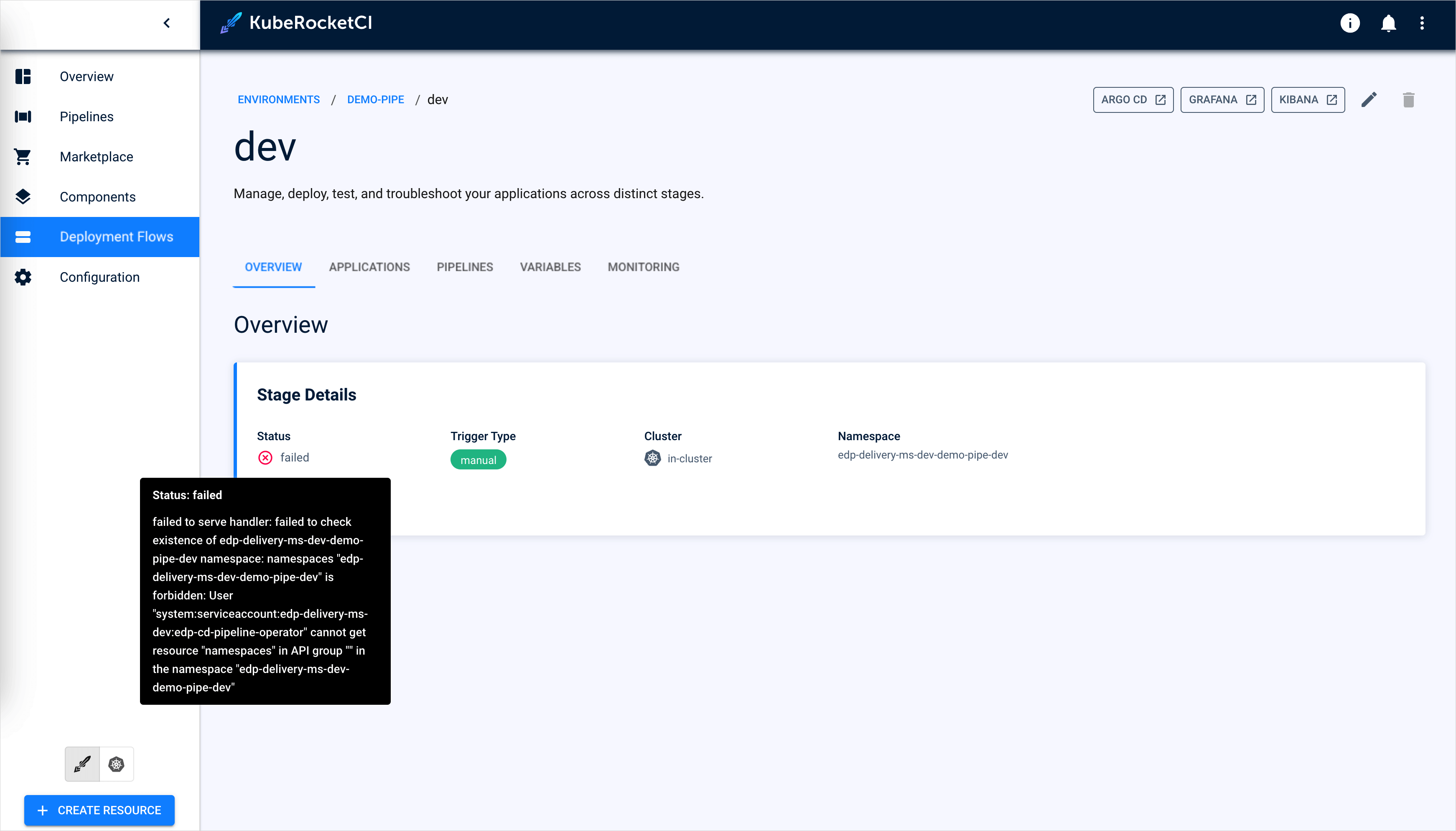
Failed to create an environment due to the following error:
Cause
KubeRocketCI offers several approaches for namespace management: namespaces can be created by users, by KubeRocketCI itself, or by Argo CD. With the default settings on Kubernetes, a namespace that users or Argo CD create before its Environment needs a label (see Environment Fails in a Namespace Without the Tenant Label). If you expect KubeRocketCI to handle namespace creation, ensure that the cd-pipeline-operator, a component of KubeRocketCI, has the necessary permissions. This permission is managed by the manageNamespace parameter of the values.yaml file.
If the manageNamespace parameter is set to false, it means the KubeRocketCI does not have permission to create namespaces and the procedure of creating namespaces in your project is delegated to a concrete person.
Solution
Make sure the manageNamespace parameter is intentionally set to false. If not, define proper flow for namespace management. Read the Namespace Management page for more details.
If the parameter was intentionally set to false, the solution would be to clarify with your management who is allowed to manage namespaces in your project and request a namespace creation:
If you are allowed to create namespaces, create it manually:
-
Open the terminal. Ensure you have access to the cluster from your kubeconfig.
-
Create the namespace, and label it with the platform namespace. From 3.16.1, on Kubernetes with
tenancyEngine: noneor on a remote cluster, the operator does not provision an Environment in an existing namespace without this label (see Environment Fails in a Namespace Without the Tenant Label):
kubectl create namespace <ns>
kubectl label namespace <ns> app.edp.epam.com/tenant=<platform-namespace>
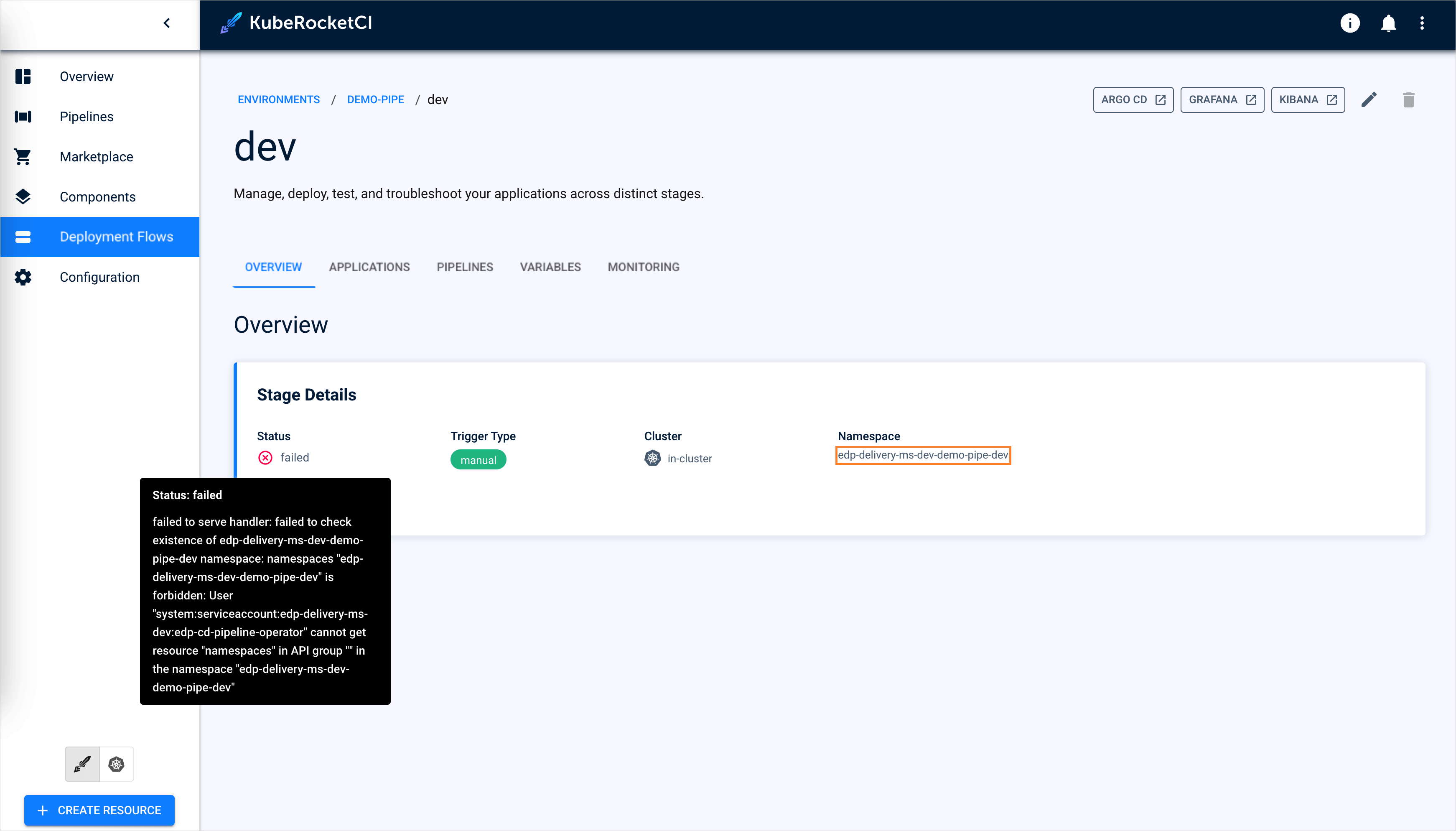
Usually, the required namespace is shown on the Overview tab of the Environment:
Environment Fails in a Namespace Without the Tenant Label
Problem: an Environment in a namespace that was created before it shows one of these messages:
namespace is not owned by the tenant: namespace <environment-namespace> exists but is not owned by tenant <platform-namespace>: label app.edp.epam.com/tenant must be <platform-namespace>
... denied request: edp-cd-pipeline-operator may act only on its own namespace and namespaces it was delegated (label app.edp.epam.com/tenant=<platform-namespace>).
KubeRocketCI 3.16.0 shows the second message as ... namespaces it provisioned (label app.edp.epam.com/tenant)., and deleting the Environment does not finish.
Cause: on Kubernetes, the cd-pipeline-operator provisions an Environment only in a namespace that does not exist, or that carries the label app.edp.epam.com/tenant=<platform-namespace>. The operator labels the namespaces it creates, but not a namespace created before its Environment, for example by a user or Argo CD. In 3.16.0, this applies to the local cluster with tenancyEngine: none and manageNamespace: true. From 3.16.1, it also applies with manageNamespace: false and to remote clusters. It does not apply on OpenShift or to the local cluster with tenancyEngine: capsule.
Solution: label the namespace with the name of the platform namespace. The operator then retries the Environment. For a namespace that Argo CD manages, set the label in its source manifest.
With manageNamespace: true, the operator deletes a labelled namespace with everything in it when its Environment is deleted. Label only a namespace that holds nothing but this Environment. Do not label the platform namespace.
kubectl label namespace <environment-namespace> app.edp.epam.com/tenant=<platform-namespace> --overwrite
To find all affected namespaces, see Upgrade KubeRocketCI v3.15 to 3.16.