Dependencies Tab Shows Zero Vulnerabilities
This troubleshooting page covers the missing vulnerabilities on the Dependencies tab of a project in the KubeRocketCI portal.
Problem
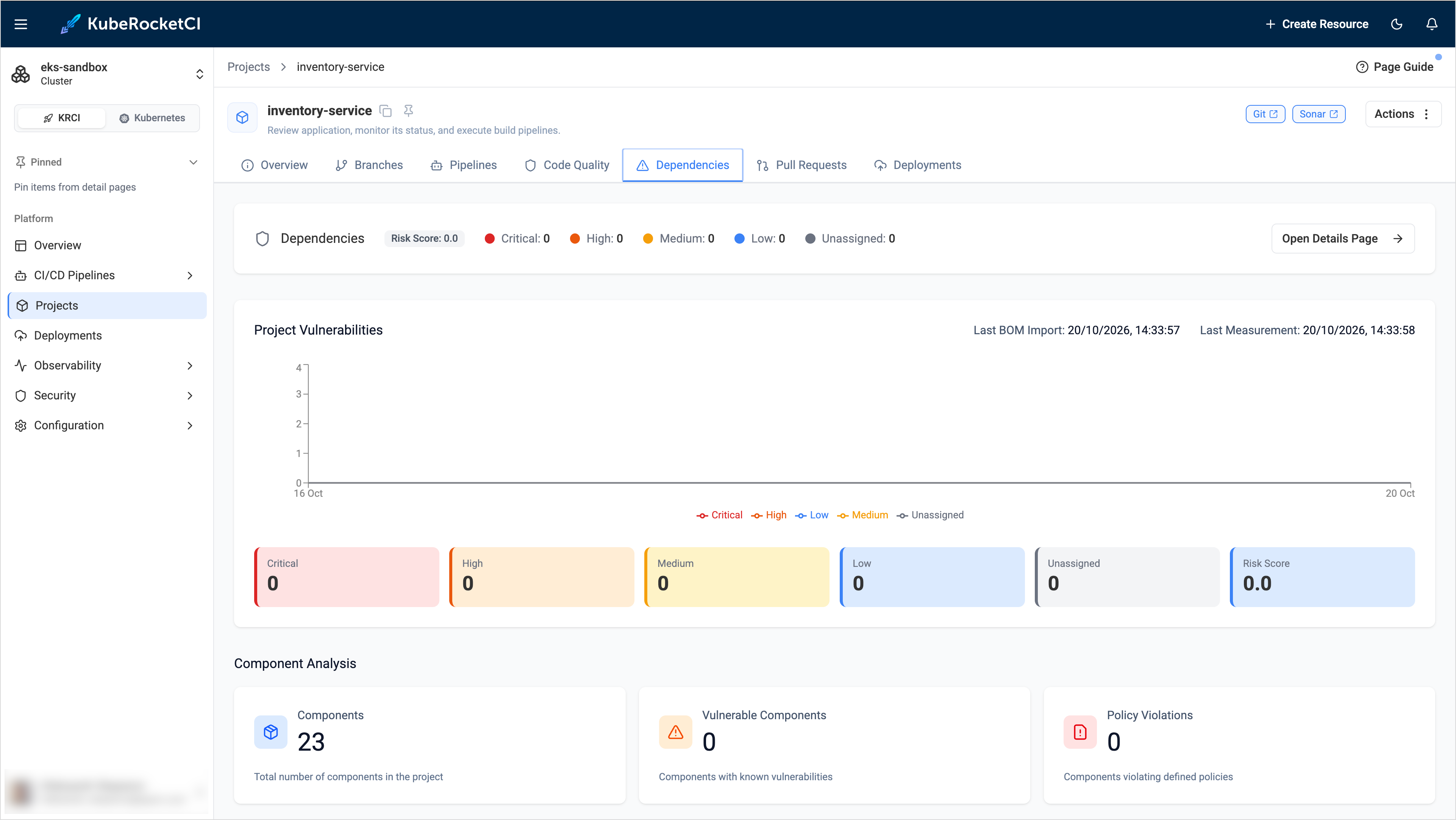
The Dependencies tab shows components, but all vulnerability counters are 0 although the project uses vulnerable libraries:
Cause
The SBOM is uploaded, but Dependency-Track has no working analyzer to match the components with known vulnerabilities. For example, the OSS Index analyzer is enabled but its API token cannot be decrypted, so the analyzer is skipped. The Dependency-Track log contains the following error:
ERROR [OssIndexAnalysisTask] An error occurred decrypting the OSS Index API Token; Skipping
The message appears when the token was encrypted with a different key than the one the server uses now.
The vulnerability analysis runs asynchronously. Right after the upload, the counters can stay 0 for a few minutes.
Solution
-
Check the Dependency-Track log:
kubectl -n <dependency-track-namespace> logs <api-server-pod> | grep OssIndexAnalysisTask -
In Dependency-Track, open Administration -> Analyzers. Make sure that the Internal analyzer and at least one source of vulnerabilities are enabled. Changing these settings requires administrator permissions in Dependency-Track.
-
If the OSS Index analyzer logs the decryption error, enter the Registered email address and API token again and save the settings. Create the token in your Sonatype account on the Sonatype Guide token page.
-
Run the security pipeline for the codebase again and open the Dependencies tab after a few minutes.