Feature Is Not Configured
This troubleshooting page covers the portal pages that show an error because the portal has no address or credentials of an external service.
Problem
A page of the KubeRocketCI portal shows one of the following messages instead of data:
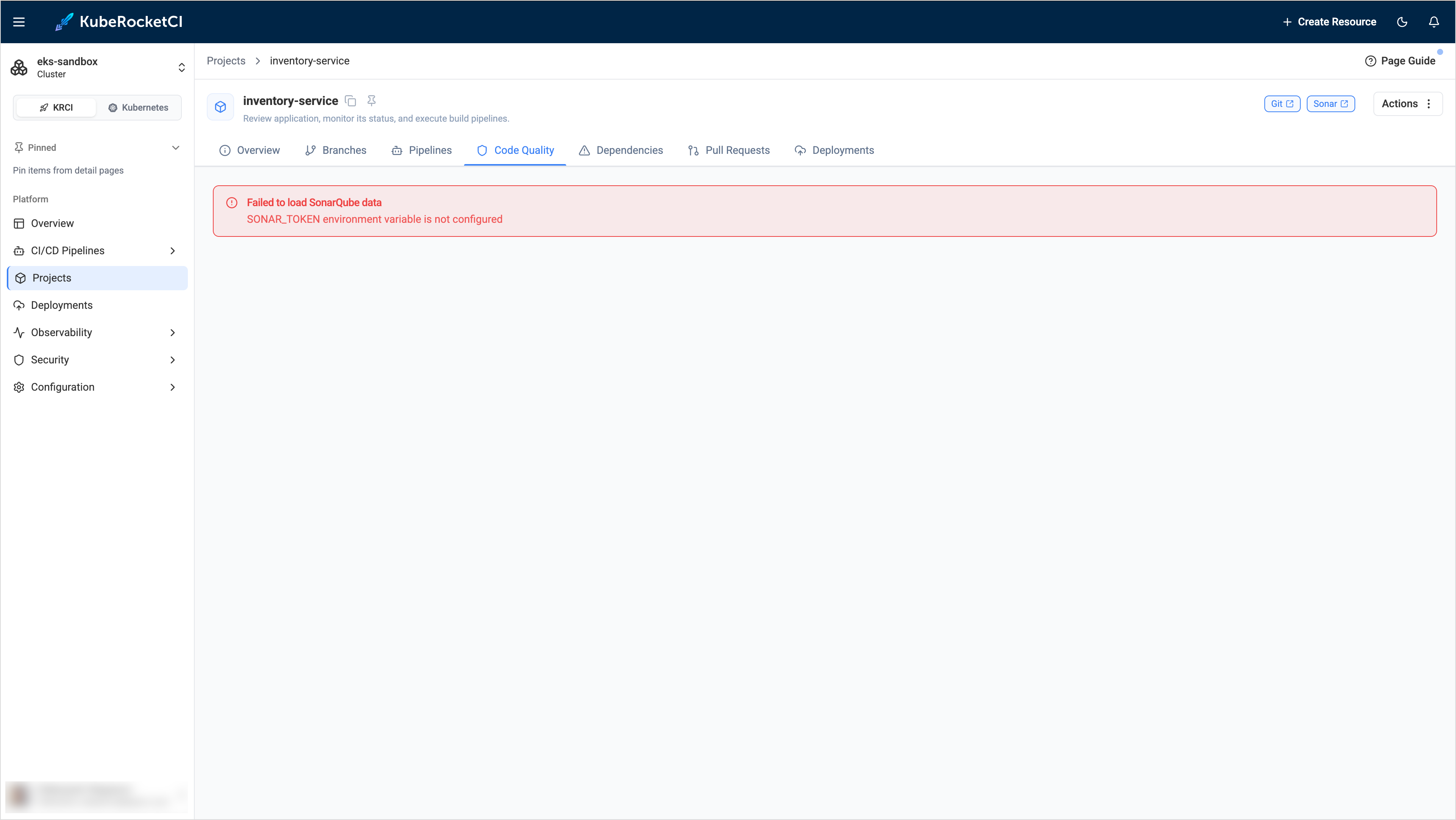
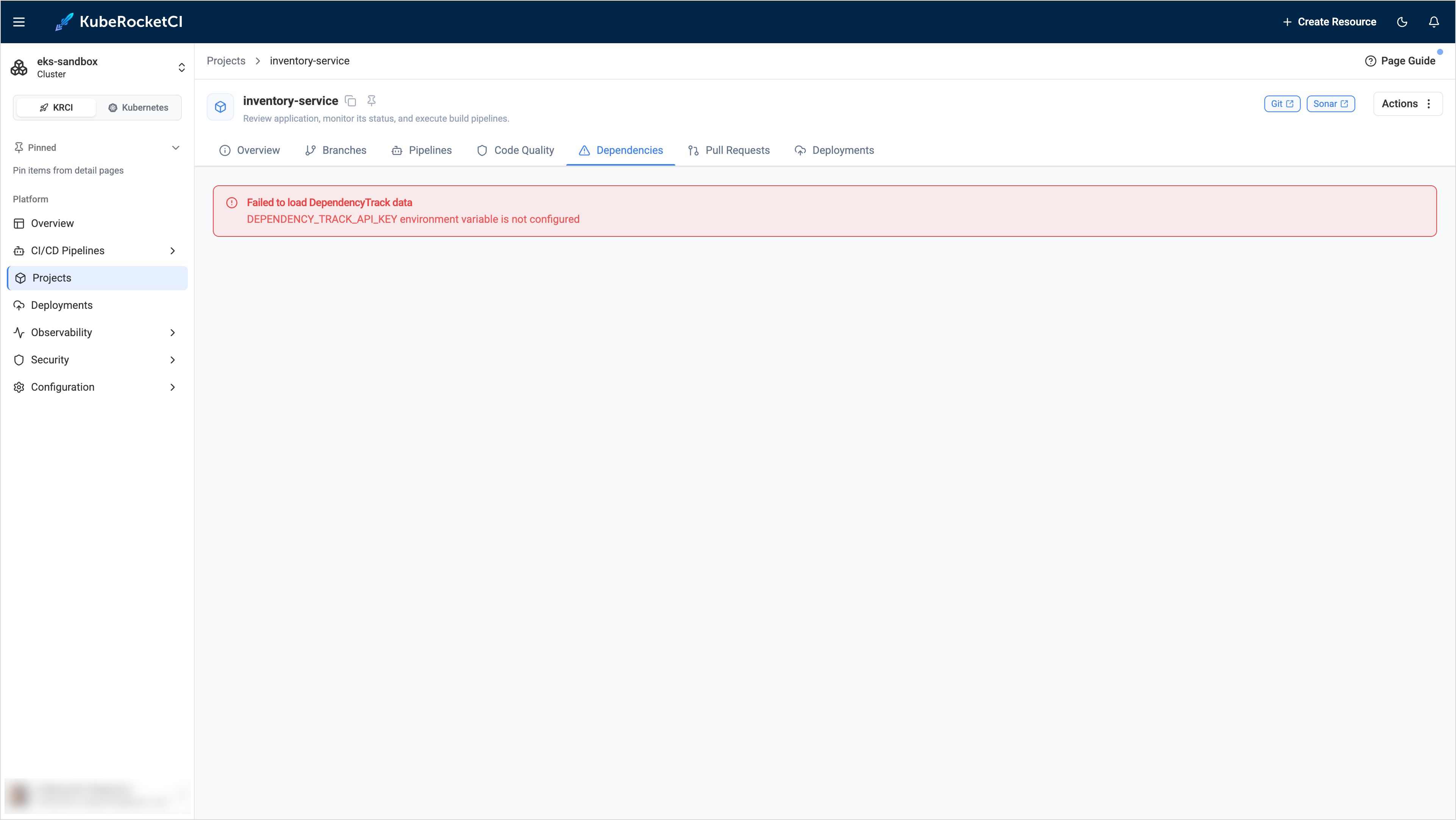
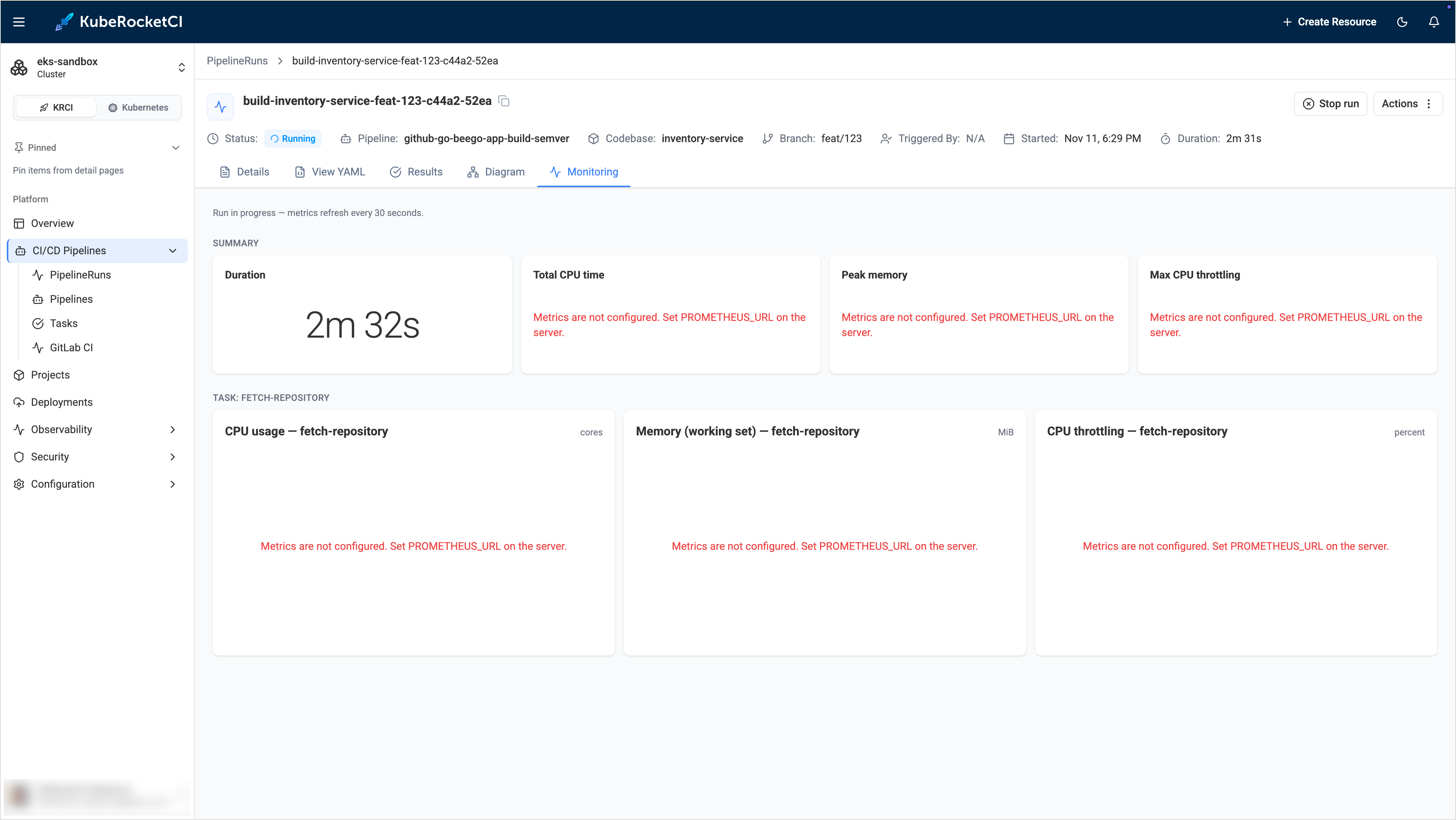
| Where | Message |
|---|---|
| The Code Quality tab of a project | Failed to load SonarQube data with the description SONAR_HOST_URL environment variable is not configured or SONAR_TOKEN environment variable is not configured |
| The Dependencies tab of a project | Failed to load DependencyTrack data with the description DEPENDENCY_TRACK_URL environment variable is not configured or DEPENDENCY_TRACK_API_KEY environment variable is not configured |
| The Pipeline Metrics page | Failed to load metrics with the description TEKTON_RESULTS_URL environment variable is not configured |
| The Monitoring tab of a PipelineRun or a stage | Metrics are not configured. Set PROMETHEUS_URL on the server. |
| The whole portal, instead of any page | Configuration Error and Failed to load server configuration. Please check your deployment environment variables. |
Other pages use a common error block that hides the reason. It shows only a general message:
Something went wrong. Contact your administrator.The service is temporarily unavailable. Please try again later.Oops! Something went wrong. Please try again later.
When the upstream service sends a request identifier, the block also shows Request ID. Use it to find the request in the log of the service.
Cause
The portal reads the addresses of external services from environment variables of the portal Deployment. The non-sensitive values come from the portal-config ConfigMap, which Helm renders from the krci-portal.configEnv values. The tokens come from the portal-secret Secret. If a variable is missing or empty, the portal does not send the request and returns the ... is not configured message.
The following table lists the variables and the features that depend on them:
| Variable | Stored in | Feature |
|---|---|---|
SONAR_HOST_URL, SONAR_TOKEN | ConfigMap, Secret | Code Quality tab, SAST pages |
DEPENDENCY_TRACK_URL, DEPENDENCY_TRACK_API_KEY | ConfigMap, Secret | Dependencies tab, SCA pages |
TEKTON_RESULTS_URL | ConfigMap | Pipeline history, logs, and metrics |
PROMETHEUS_URL | ConfigMap | Monitoring tab |
GITFUSION_URL | ConfigMap | Repository and branch discovery through GitFusion |
KRCI_AUDIT_URL | ConfigMap | Triggered By field and Audit Events page |
The Configuration Error screen has another meaning. The browser could not get the configuration from the portal server, so the server is unavailable, or the request failed. It does not mean that a specific variable is empty.
The default Helm values contain sample addresses, for example, https://sonar.example.com/. A sample address is not empty, so the portal sends the request to it and shows an error of the connection, not the ... is not configured message. In this case, see SonarQube Upstream Failure and Dependency-Track Project Not Found.
Solution
-
Find the variable in the message. For the Monitoring tab, it is
PROMETHEUS_URL. -
For a variable from the ConfigMap, check its value:
kubectl -n <krci-namespace> get configmap portal-config -o yaml | grep -E "SONAR_HOST_URL|DEPENDENCY_TRACK_URL|TEKTON_RESULTS_URL|PROMETHEUS_URL|GITFUSION_URL|KRCI_AUDIT_URL"If the value is empty or absent, set it in the Helm values and upgrade the release:
values.yamlkrci-portal:configEnv:PROMETHEUS_URL: http://prometheus.monitoring.svc:9090The portal Pod restarts by itself when the ConfigMap changes.
-
For a variable from the Secret (
SONAR_TOKEN,DEPENDENCY_TRACK_API_KEY), check that the Secret contains the key. The command prints only the key names:kubectl -n <krci-namespace> get secret portal-secret -o jsonpath='{.data}' | jq 'keys'If the key is absent, add it:
-
If the
portal-secretSecret is created manually, add the key to it, and restart the portal:kubectl -n <krci-namespace> rollout restart deploy/krci-portal -
If the Secret is managed by the External Secrets Operator, add the key to the external store under the Portal
eso.secretPath. TheExternalSecretresource copies all keys of that path, so the key name in the store must equal the variable name. To apply the value without waiting for the refresh interval, run:kubectl -n <krci-namespace> annotate externalsecret portal-secret force-sync=$(date +%s) --overwritekubectl -n <krci-namespace> rollout restart deploy/krci-portalwarningDo not delete the
ExternalSecretresource. The Secret it creates is removed together with it, and the portal loses all its secret values, including the session secret. The portal Pod then cannot start after a restart.
noteBy default, the portal stores sessions in a non-persistent database, so users sign in again after a restart. To avoid it, see Portal Login and Session Issues.
-
-
If the Configuration Error screen appears, check that the portal Pod is running and read its log:
kubectl -n <krci-namespace> get pods | grep krci-portalkubectl -n <krci-namespace> logs deploy/krci-portal --tail=100